
Streaming Pinball in Western Massachusetts
For the love of the Spin
From classic machines from Gottlieb, Williams/Bally to modern machines from Stern Pinball, Jersey Jack, and Spooky Pinball, see the community come together and play pinball!
Playfield Camera Comparisons
I’m always on the lookout for GREAT looking playfield cameras so I decided to put my thoughts out there for others to review. There are some specs that I am always looking for, such as at least 60fps so the ball moves smoothly over the playfield, then some nice to haves, such as a battery or low light abilities (since bars can be dark!)
I’ll keep updating this with my findings as I go along, so check back often
| Camera Details | Birddog Maki Ultra 12x | Logitech Mevo Core | Yolocam S7 | GoPro Hero 13 w/ Media Mod |
| Image Sensor | 1/2.8″ CMOS | 4/3 CMOS sensor | 4/3 IMX sensor | 1/1.9″ CMOS |
| Resolution | 4k | 4k (1080p) | 4k | 1080p |
| Frames Per second | 60fps | 30fps (60fps) | 60fps | Only 30fps with Media mod |
| HDMI Out | Yes | Yes | Yes | Yes (w/media mod) |
| Battery | No, but PoE | Yes | No | Yes |
| Wireless | No | Wi-Fi 6E | No | Wi-Fi 6 |
| NDI Out (Network Device Interface) | Yes, NDI|HX3 | Yes | No | No |
| RTMP (Real-Time Messaging Protocol) | Yes | Yes | No | Yes |
| Mic | Yes | Yes | Yes | Yes |
| Monitor Out | Can add external monitor and have two outputs | Can add external monitor, and through app | No | On Camera and through app |
| Buy on Amazon | Buy On Amazon | Buy On Amazon | Buy On Amazon |
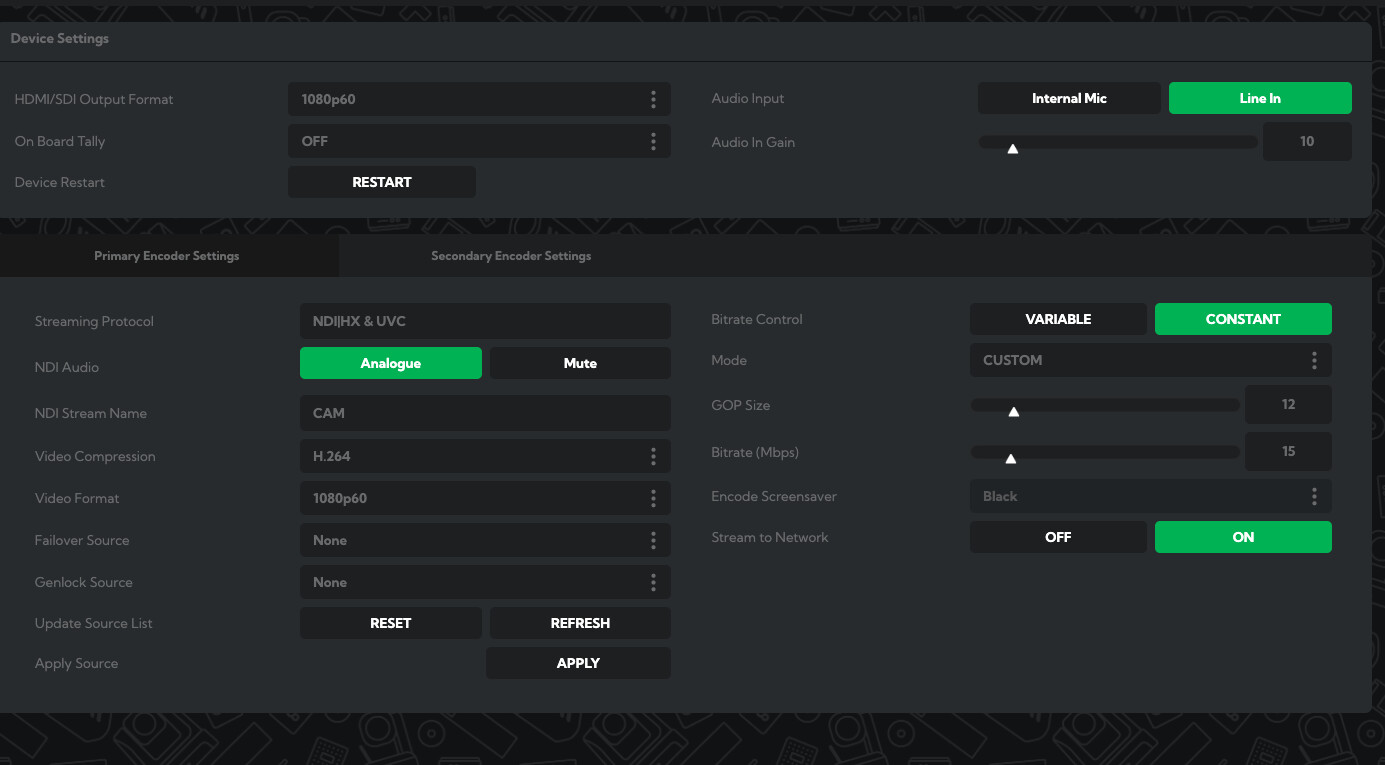
There is a lot I like about the Birddog Maki Ultra 12x, the User Interface of the settings is just phenomenal. It lets me fine tune the bitrate used over the network for the most optimal frame rate over the network. The NDI just works, and that has been great!
So far this has been the most clear refresh for watching the ball traverse the playfield, and choosing Shutter Priority or their default ‘Bright’ mode has helped with darker rooms.
The large physical buttons has made it easy to navigate the menu, or the included IR remote was nice from across the room. If I was mounting a playfield camera over the playfield permanently this would be a great camera for it
Outputting from this device has been no problem at all, HDMI, SDI or UVC (USB-C) works without a hitch and can output multiple at the same time.
Flaws but not dealbreakers
For those who stream on a portable rig (/hi!) dealing with the power brick is always going to be an issue. The DC 12V power drains my portable battery in about 4 hours. Not terrible but not ideal either.
I also wished the USB-A port on the back allowed for you to add a wireless USB adapter to it so I wouldn’t have to go HDMI or SDI out to the YoloLiv Ultra or Accsoon CineView 2 SDI. I’ve thought about attaching a UniFi Dream router to the rig and powering it and the Birddog Maki via PoE but… that seems like a lot
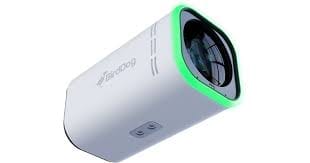
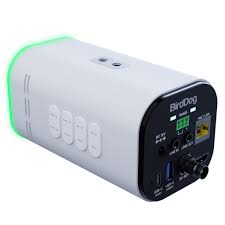
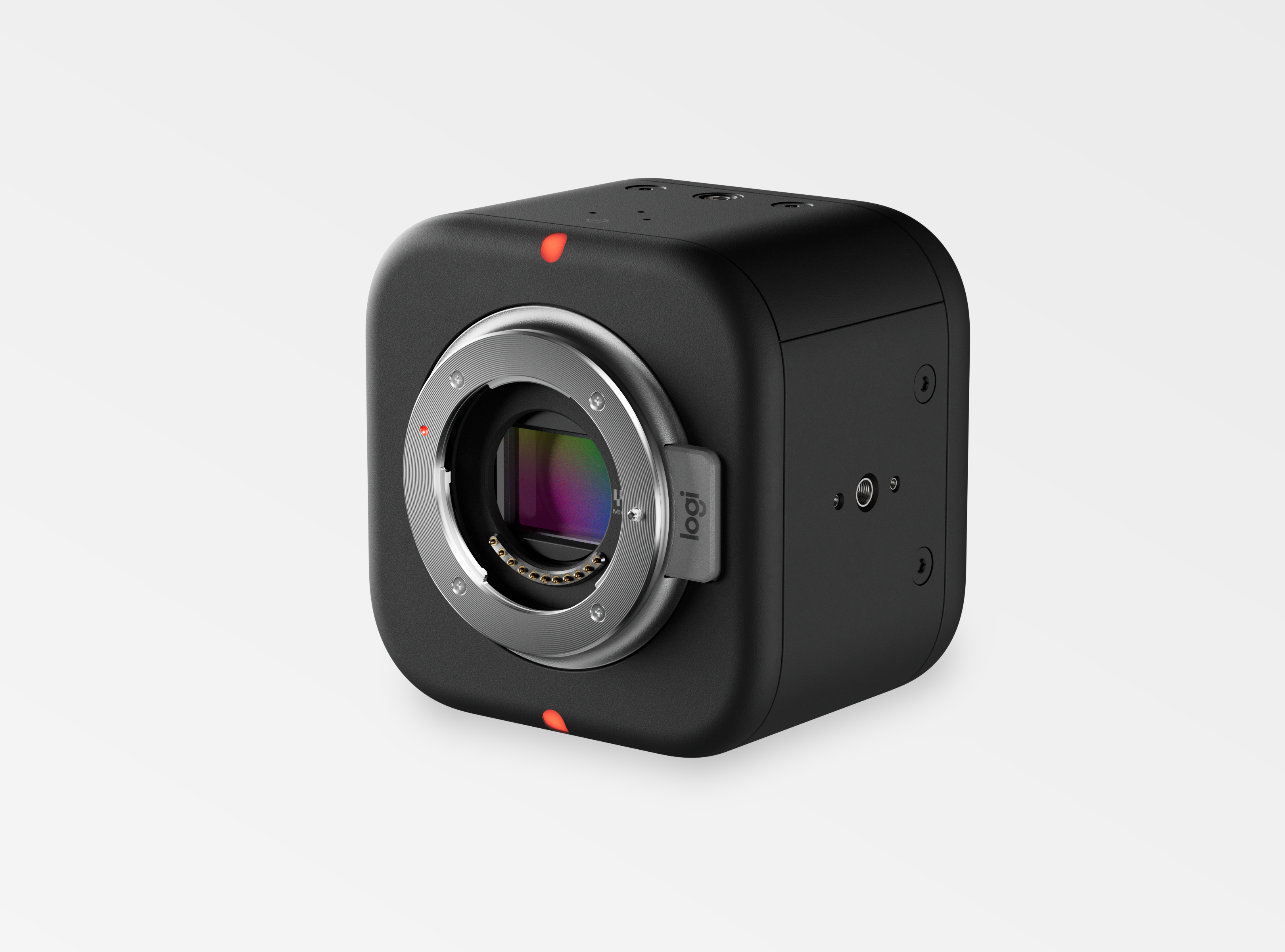
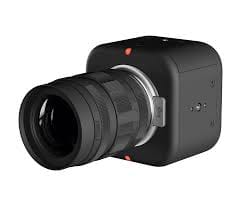
When looking for a playfield camera that wouldn’t drain my portable battery, the Logitech Mevo Core was pretty high on my list. With a reported 6 hour battery life and that it could charge over USB-C or PoE (Power over Ethernet, with adapter), I would be able to run a whole days streaming on this camera.
Users tell me that the colors just pop on this camera, and the 4/3 CMOS sensor really help in dark settings, just make sure that your micro four-thirds lens supports a low aperture.
This is a really light weight camera, which is great for a playfield camera and mounting options on every side of the camera which you don’t find often!
You can output your feed in so many different ways, such as NDI, SRT, RTMP and USB-C if your device supports UVC, or can act like a webcam (which the YoloLiv Ultra can) The Wi-fi 6E standard is great for this with little to no interference.
Flaws but not dealbreakers
Even though the majority of the settings are behind the Mevo app, the alternate Mevo Studio app lets you do some really neat stuff like laying out multiple NDI / wireless streams to send to a streaming platform. If I had a couple of Mevo Start cameras, I would really consider it. Just remember to check the app to set up the camera, then restart the camera to make sure the settings take.
Also, finding a wide / ultrawide micro four-thirds lens with low aperture and auto focus at an affordable price may be difficult.

If you are using the Yololiv Extreme, the ability to control camera settings is phenomenal. No needing a separate app or having to go back to the laptop to change camera settings, you can do it straight on the rig. Yololiv states that the Yololiv Ultra will have an update for this in late June 2026, so we’ll see!
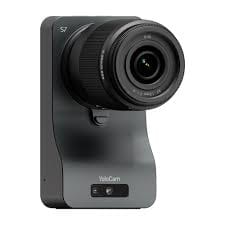
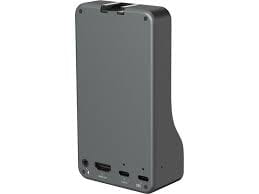
Its powered through a USB C slot and comes with a 12v adapter so you’ll need to make sure whatever battery you are using can support that.
It’s a great camera for its weight and size, but there is a lot of trade offs with it if you do not have the right set up.
Flaws but not dealbreakers
This camera really does not like having a manual lens on it, connected to the PC it kept giving an error and not allowing me to access the settings at all.
Also, finding a wide / ultrawide micro four-thirds lens with low aperture and auto focus at an affordable price may be difficult.
What I’m looking forward to
GoPro Mission 1
I would be lying if I wasn’t excited for the next GoPro. A GoPro with a 1″ sensor and a media mod that can actually output 4K60 and not cap at the 1080p30fps of the previous mods will be great.
It took me awhile to learn that the older Media Mods limited the feed to 1080p30 but it is very noticeable compared to higher fps cameras
GoPro batteries and light weight nature makes it easy to move and adjust the playfield camera on a whim.
Streaming Tools
When trying to run a wireless stream from your rig to a laptop or other device, the price goes up substantially. I’ve brainstormed a few odd ways to make something work, such as a mini pc/ mac mini with webcams that then remote to another PC, but set up and tear downs take a lot longer. This may be a possibility if your pinball streaming rig is only staying at one location.
Otherwise, here are some other products to look at if you want a wireless system.
The Yololiv Ultra /Yololiv Extreme was a product I was very hesitant to support when I got it 3 years ago. There is a learning curve if you are taking all 3 inputs from your camera and laying them out on the very sensitive touch screen then to broadcast it to a laptop for OBS.
Now with updates (which the Yololiv Extreme gets more often) this has been a great tool for me to use. It saves me buying three Accsoon CineView 2 SDI (which you see most streamers do) and it also means I don’t have to deal with the wireless interference of the 3 Accsoons , other wifi devices, etc.
The Yololiv now includes NDI streaming as well as SRT and RMTP, so I don’t even need the Accsoon CineView 2 SDI if I have full internet access and priority speeds on the wireless routers, which is amazing if your location will help you out!
If you wanted to (or didn’t want to buy another pinball machine) you could link two Yololiv Extremes together and do head to head or side by side pinball machines, or have one as a monitor on the Rig and one as the monitor on the laptop OBS steam.
Flaws but not dealbreakers
Now, you could also stream to YouTube / Twitch or more directly from the Yololiv Ultra /Yololiv Extreme but some of the features you may want to use (Such as Web contol, more control over overlays, broadcast settings, etc) may be behind a subscription paywall, versus having more control over it on OBS.
The Yololiv Ultra /Yololiv Extreme can stream up to 4k 60fps but thats very dependent on your internet connection. If you are only highlighting one machine, you might want to run an ethernet cable to it for the best connection possible.
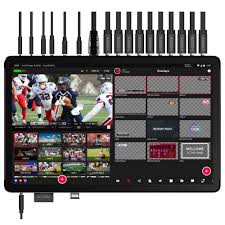
Yololiv Yolobox Extreme
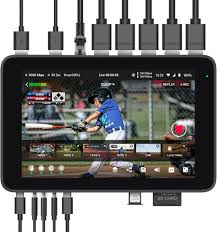
Yololiv Yolobox Ultra
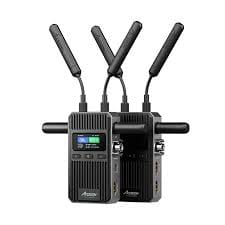
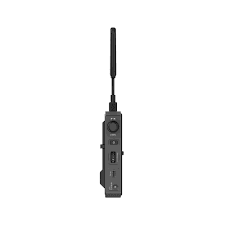
I couldn’t wait to try out the Accsoon CineView 2 SDI, one of the first Accsoon products that supported 1080p AND 60fps. With the dual band Wireless transmission on 2.4GHz + 5GHz meant I wouldn’t have to worry about interference as much.
But by far, the thing I was excited about was the UVC (USB-C) output on the receiver! This means you DO NOT need a HDMI capture card from the receiver to the laptop, WIN!
I’ve been able to use this wireless transmitter / receiver in so many different ways, such as outputting the feed or duplicating the feed to multiple devices (such as a monitor or a TV) and it has been a great backup when NDI would not keep up with the internet speeds
Flaws but not dealbreakers
Sometimes its been difficult to find where I want to mount this on the rig, especially if I need to move from room to room, and there is no good way to find what wireless channels may have too much interference without pulling out my phone to check signals. It would be create if they had a scanning system / auto connect feature.
What I’m looking forward to
Accsoon CineView Master 4K and the Accsoon CineView Master 4K Lite are the latest releases from Accsoon, with both the Accsoon CineView Master 4K and the Accsoon CineView Master 4K Lite supporting 4k60p, the biggest difference is that the Accsoon CineView Master 4K supports the new 6 Ghz wireless band as well as the 2.4GHz + 5GHz when the Accsoon CineView Master 4K Lite only supports the 2.4GHz + 5GHz.
Now the other cool thing is if you want to get one of these 4k60p devices for the playfield, you can then get two cheaper Accsoon CineView 2 SDI or older models for the player camera / score camera as you shouldn’t need more than 720p on those two cameras. Unless you like just throwing money at things.
Webcam Options
When connecting to a Yololiv Ultra /Yololiv Extreme you can also use the USB A / USB C ports for webcams! I highly recommend models with Onboard Settings Memory to save you time setting up so you don’t have to plug a separate laptop into them to configure them each time. Their microphones are great for capturing game sounds from the speakers.
I’ve used these for Player Cameras, Playfield Cameras, and Score Cameras, but your mileage may vary. I prefer a camera with some sort of manual zoom and a monitor output for the Score Camera, especially for the non DMD / LCD screens.
The biggest downside of a webcam is that they don’t have a manual zoom or focus on the camera itself. For some reason webcam manufacturers don’t consider pinball streaming their primary function, sad.
But if you keep your streaming PC near the machine, or use a Yololiv Ultra /Yololiv Extreme, webcams are an inexpensive way to go!
| Camera Details | Elgato Facecam MK.2 / Elgato Facecam 4K | Razer Kiyo V2 X | Insta360 Link 2 4K Webcam | OBSBOT Meet SE |
| Image Sensor | 1/2.5 inch Sony STARVIS / Sony STARVIS 2 CMOS 1/1.8″ | 1/3” | 1/2 ” CMOS | 1/2.8” CMOS |
| Aperature (lower better for dark rooms) | f/2.4 / f/4.0 | f/2.2 | f/1.8 | f/1.8 |
| Resolution | 1080p / 4k | 1440p | 4K / 1080p | 1080p |
| Frames Per second | 60 fps | 60 fps | 30 fps / 60 fps | 100 fps |
| Gimbal / AI Tracking (Player Camera) | No | No | Yes | Yes |
| Mounting (Tripod) | 1/4-thread | 1/4-thread | 1/4-thread | 1/4-thread |
| Cable | Detachable | Non-detachable | Detachable | Detachable |
| ISO | 100 – 6400 | 100 – 3200 (Dual Native) | 100 – 3200 | 100 – 6400 (Dual Native) |
| Mic | Yes | Yes | Yes | Yes |
| Buy on Amazon | Buy On Amazon | Buy On Amazon | Buy On Amazon |
I used the Elgato Facecam MK.2 as a quick up and running playfield camera for almost half a year. I loved how light weight it was, easy to move an adjustable arm to get the playfield into view and just go.
The width of it though stopped me from moving it to a Player camera or a score camera as I was worried it would be in the way
Flaws but not dealbreakers
The Elgato Facecam 4K has a aperture of f/4.0 so its not ideal for dark pinball areas, but the ability to add lens-filters is an interesting option.

Elgato Facecam 4K
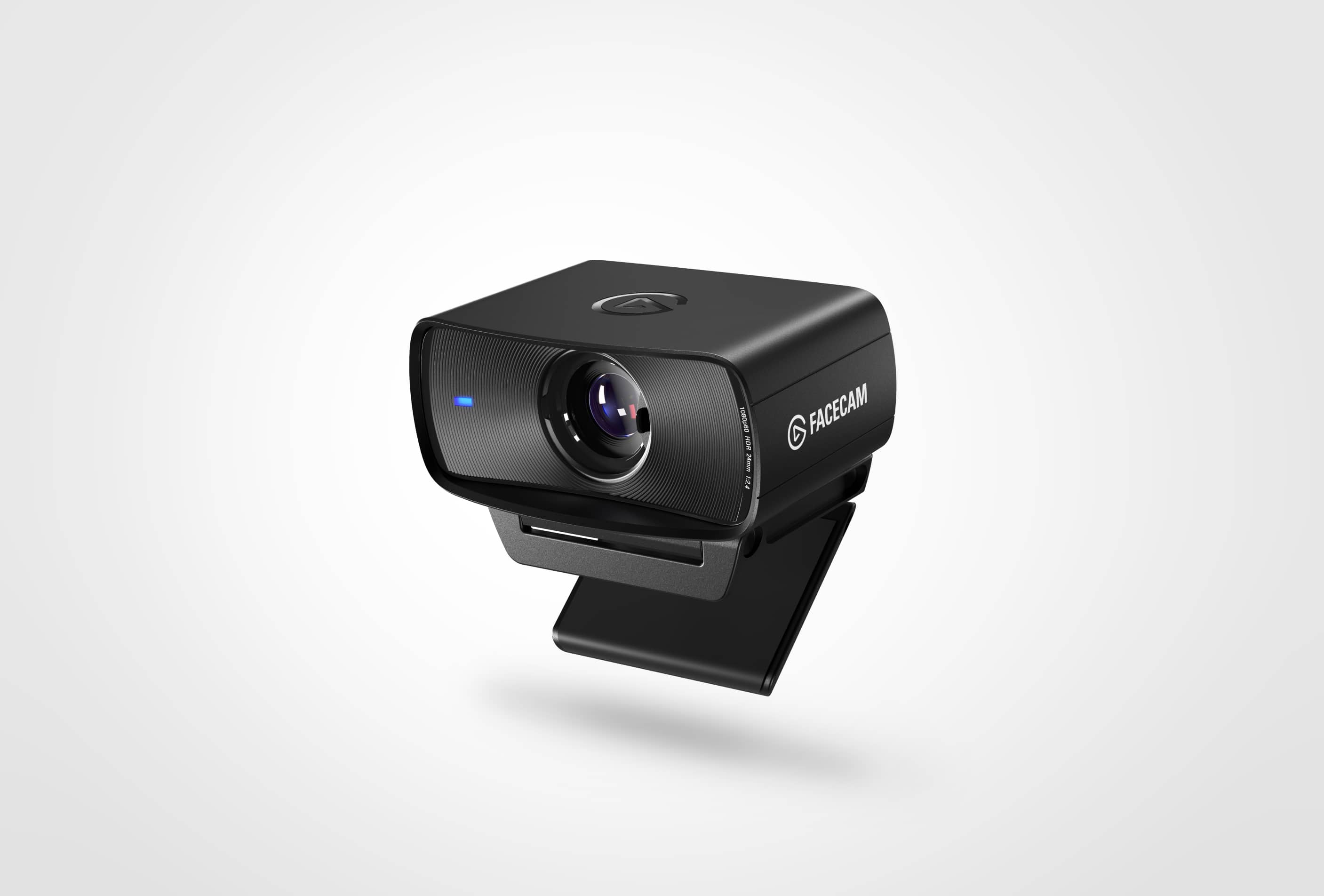
Elgato Facecam MK.2
I haven’t had a ton of time on this one, but the clarity (fps) was extremely smooth for a playfield camera. Especially since you might be able to get away with just 720p for a higher fps, due to where you locate the playfield on your streaming setup.
Flaws but not dealbreakers
The biggest complaint I have about the Razor webcams, is that the cord is built into the unit – this makes it very hard for portable rigs to multiple locations as I have to rewire the cable each time through the rig.

My go-to player camera, the Insta360 Link 2 4K Webcam just works. It looks sharp and is great in a variety of lighting settings. And if players DO NOT want to be on camera, they can just tilt the camera down and it shuts the camera off. Easy day!
The magnetic base makes for easy adjustments, packing and unpacking it is a breeze.
I’ve thought about some sort of gimbal mounted camera for a playfield camera, but until PTZ support just works with the Yololiv Ultra /Yololiv Extreme (still in Beta), I haven’t given it more time.
Flaws but not dealbreakers
Now my players aren’t a huge fan of the AI tracking so I usually turn it off, but if I am playing at home, I use it all of the time.
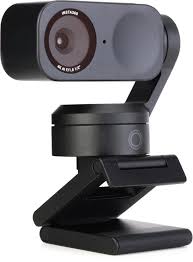
I love this little guy, I just throw it in my case because I’ll always need another camera somewhere! Whether its a crowd cam, another commentary camera, or hang it off the rig and get the machine right next to the one I am streaming on, this lightweight camera is so easy to use
Flaws but not dealbreakers
Good luck getting the advertised 100 fps unless you are connected directly to the PC and maybe recording the footage through the OBSMeet app.
What I’m looking forward to
Unknown
I haven’t seen many webcams that have sparked my interest, I usually start looking around Black Friday to see what else is new. Let me know if you find something!